













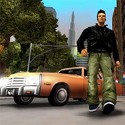

GTA 4 in Browser
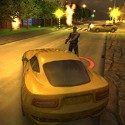
GTA 4 in Browser looks like a quick tab you open between tasks, but it plays like a heavy, grey slice of Liberty City where every turn, crash and siren carries weight. You step out onto a street of brownstones and steel towers, take the nearest car, and within a minute the city is reacting to what you do: traffic bunches up, pedestrians scatter and a patrol car swings around the corner to see what the noise was about.
What GTA 4 in Browser Really Is
This is a browser adaptation built around the mood and mechanics of Grand Theft Auto IV, the Liberty City crime story that follows Niko Bellic, a war veteran who arrives in America because his cousin Roman promised mansions and sports cars. Roman, of course, has a small taxi firm, a pile of gambling debts and a habit of calling to ask if you want to go bowling. That joke about Roman's bowling invitations is still one of the most quoted memes in the community, and it says a lot about the tone the original struck: grim streets, dry humor and a city that never quite gives you what it promised.
The browser version takes the parts of that experience that work in a short session. You get third-person movement, cars to steal, a dense city grid to explore and police who respond when you break things.
What you do not get is the full retail package, and our browser vs original comparison lays out exactly what is missing. The long campaign with its contacts, dating, internet cafés, friend hangouts and the Deal or Revenge finale belongs to the original release on consoles and PC. Here, the city itself is the content, and your own goals fill the space where scripted missions used to sit. Players who arrive expecting a complete story usually leave disappointed, while those looking for a quick dose of Liberty City atmosphere tend to stay longer than they planned.
That honest scope is worth stating up front, because it changes how to approach the experience. Think of it as a sandbox with a strong sense of place rather than a scaled-down campaign, and the short sessions start to make sense.
Knowing a little of the original plot and its two endings still helps. Niko works his way through Russian loan sharks, Jamaican dealers, an Irish crew and an Italian family, and the people he meets, from the loyal arms dealer Little Jacob to the loud car thief Brucie Kibbutz, all covered on the characters page, give every district a story even when you are only passing through it at speed.
| Style | Third-person city sandbox inspired by Liberty City |
|---|---|
| Where it runs | A desktop web browser, best in Chrome or Edge |
| Main activities | Driving, exploring, causing trouble, escaping police |
| Original setting | Broker, Dukes, Bohan, Algonquin and Alderney |
| Original hero | Niko Bellic, with Roman, Little Jacob and Brucie nearby |
| Session structure | One open roaming session, shaped by your own goals |
Liberty City Squeezed Into a Tab
The original Liberty City is a New York stand-in split into five areas, mapped out in detail in our Liberty City map guide. Broker mirrors Brooklyn, Dukes stands in for Queens, Bohan echoes the Bronx, Algonquin is a long, narrow Manhattan of towers and parks, and Alderney across the river plays the role of New Jersey. In the full release, bridges stay closed early on, and the city opens island by island as Niko's story grows, with Algonquin unlocking after Blow Your Cover and Alderney after the Three Leaf Clover bank job.
A browser build cannot carry every block of that map. What it keeps is the feel: overcast skies, steel bridges, rows of fire escapes and avenues clogged with yellow cabs.
Explorers get the most out of this part. Walking a few blocks instead of driving reveals small details, such as the way traffic piles up at intersections or how pedestrians react when a car mounts the curb. Those details are what made the original city feel lived in, and even a smaller slice carries some of that texture. Spending your first minutes on foot is also a practical habit, because it shows you where the narrow alleys and underpasses are before you need them in a chase.
Landmarks matter more than street names here. A tall tower, a bridge visible from several blocks away or a long avenue that cuts across the map all work as anchors when a pursuit sends you somewhere unfamiliar.
Weather and light change how the same streets feel. A wet road at night, with headlights reflecting off the asphalt, turns a familiar avenue into something new, and many players say the moody atmosphere is the main reason they keep GTA 4 in Browser bookmarked rather than any single feature.
Story fans tend to read about the original districts before playing, because knowing that Hove Beach is where Niko starts or that the Statue of Happiness stands offshore from Algonquin adds meaning to grey streets that would otherwise feel generic. Players who only care about speed skip that part and simply learn the shortcuts, which is a perfectly valid way to enjoy the city.
Cars, Weight and the Art of the Turn
Driving is the heart of every session, and it is also the most divisive part of the Liberty City formula. The original game gave cars real weight: they lean into corners, take time to stop and slide when you brake too late. Fans who grew up on lighter, arcade-style handling often called the cars boat-like, while others praised them as the most satisfying in the series. That debate still runs through community threads, and the browser version inherits a softer echo of it.

The practical lesson is simple: brake before the corner, not in it. A heavy sedan that enters a junction at full speed will slide wide into oncoming traffic, while the same car slowed slightly beforehand turns cleanly and keeps most of its speed.
Different cars suit different jobs. In the original, the fastest group tops out at about 99 mph, with names like the Turismo, Infernus, Comet, Coquette and Banshee, and the NRG 900 bike reaches roughly 93 mph; the fastest cars guide lists where each one spawns. Browser builds usually offer a shorter list, but the same principle applies: pick the most controllable fast car available rather than the one with the flashiest top speed. Chase fans like light cars that change direction quickly, while players who love chaos prefer heavy vehicles that push through traffic and survive more hits.
Damage is the other variable. A car that starts smoking is close to stalling, and pushing it further usually ends with you on foot in the middle of a pursuit.
Being on foot has its own flavor. The original became famous for its ragdoll physics, often called Euphoria by fans, where pedestrians stumble, grab railings and tumble down stairs in ways that feel startlingly physical. Bumping into a crowd on the sidewalk or clipping someone with a car door produces reactions that are half comedy and half shock, and that sense of bodies with weight is something GTA 4 in Browser borrows in spirit even when the animations are simpler.
Motorcycles deserve a warning. They slip through traffic better than anything else, yet a single clipped bumper throws the rider over the handlebars, which makes bikes thrilling for experienced drivers and a frustrating trap for beginners.
- Brake early and turn smoothly instead of yanking the wheel.
- Use the handbrake only for genuinely tight corners.
- Swap cars as soon as yours starts smoking.
- Pick agile cars for chases and heavy ones for pushing through traffic.
- Learn two or three long avenues that work as main routes.

Once these habits click, driving stops feeling like a fight with the physics and starts feeling like the point. Long drives at dusk, weaving through cabs with the skyline in the background, are what many players remember most.
Stars, Sirens and the Search Circle
The police system in the original game is one of its best-designed features, and understanding it makes any Liberty City chase easier. When officers see a crime, a flashing circle appears on the map around the spot where they last saw you. Stars stay as long as you are inside that circle, and if an officer spots you again, the circle jumps to your new position. Leave the circle, stay out of sight for a few seconds and the heat fades, and the wanted level guide breaks down every star in detail.
The scale runs to six stars. One star means a patrol trying to arrest you, three bring NOOSE roadblocks and a helicopter with sharpshooters, and the top levels add FIB units, Annihilator helicopters and ramming that never lets up.
Even a single star has side effects in the original: shops refuse to serve you, taxis will not stop and bars stay closed until the heat clears. That small detail is a good reminder that the police are not just an obstacle in a chase but a pressure that colors the whole city while it lasts.
Stars also change color to show what the police know. White means they can see you, grey means they have lost you and are searching, and grey is exactly the moment to slow down, slip into an alley or switch cars. Players who keep flooring the accelerator when the stars turn grey often drive straight back into a patrol and restart the whole circle.
Once the police helicopter appears, open roads become dangerous. Tunnels, underpasses and large structures break its line of sight far better than speed, and players who learn where those spots are can shake even heavy pursuit. Parking garages work especially well, since the concrete roof hides you completely while the stars cool down.
Getting caught carries a real cost in the original. An arrest strips Niko of his weapons and some cash, and at three stars or more officers rarely bother trying to arrest anyone, so escape becomes the only realistic outcome. Two achievements built around this system, one for losing a four-star level and One Man Army for surviving six stars for five minutes, became badges of honor among fans.
In the full release, a Pay 'n' Spray clears stars instantly as long as no officer sees you drive in, and friends such as Kiki Jenkins and Francis McReary can remove up to three stars, one of several friend abilities worth unlocking. Browser builds simplify the system, but the mindset carries over completely: break line of sight, avoid long straight bridges and do not try to win a fight against a growing crowd of patrol cars. Chase fans who deliberately push the meter as high as possible treat this as the main challenge of a session, timing how long they can survive before the city catches up.
Keys, Clicks and Smooth Sessions in GTA 4 in Browser
The layout follows the keyboard-and-mouse standard most players already know. Before anything else, click once inside the game frame, because the page needs focus before it accepts your keys, and that single click fixes the most common complaint new players have. A printable version of the layout lives on the controls page.
- W, A, S, D: walk on foot; accelerate, brake and steer in a car.
- Mouse: turn the camera and aim.
- Shift: sprint on foot.
- Space: jump on foot, handbrake while driving.
- F: enter or exit the nearest vehicle.
- Left mouse button: punch or fire.
- Right mouse button: aim before shooting.
- Esc: release the mouse and open the menu.
Performance deserves the same attention as controls. The first load streams a lot of city data, so let it finish completely instead of refreshing halfway, which only restarts the download; the beginner guide walks through the first five minutes step by step. A desktop browser with hardware acceleration turned on gives the smoothest result, and closing video tabs or other 3D pages releases graphics memory for the city.
Phones and thin tablets are the weak point. Dense city scenes with traffic and pedestrians ask a lot of a graphics chip, and steering while aiming is awkward on a touch screen, so a laptop or desktop with a real keyboard is the setup most regular players recommend.
Small settings make a visible difference too. Lowering the browser zoom to its default, keeping only one game tab open and letting the laptop run on mains power rather than battery saver often add several frames per second, which matters most in the busiest intersections where traffic, pedestrians and police all appear at once.
Sound is part of the experience as well. Sirens rising in the distance, tires squealing on wet asphalt and the hum of traffic tell you a lot about what is coming before it appears on screen, so playing with headphones gives a small but real advantage when a patrol is closing in from behind a building.
Fullscreen is worth using once you are comfortable. It gives a wider view of the street, which helps you spot the gap in traffic or the alley entrance a second earlier, and it stops accidental clicks outside the frame from pulling focus away mid-chase.
How a Typical Session Unfolds
There is one mode here, an open roaming session, and its structure comes from you rather than from a mission list. A session usually begins with orientation: a minute of walking, a first car, a slow lap around a few blocks to feel the handling and locate a couple of landmarks. Players who skip this step tend to get lost the first time police appear, and getting lost is the most common way a promising run ends early.
The middle of a session is where the city opens up. Some players hunt for the fastest car they can find, some test how far a heavy truck can push through traffic, and some simply cruise the long avenues and enjoy the skyline.
Late-night sessions have their own rhythm. With fewer cars on the road, long avenues turn into clean straights for testing top speed, and the quiet makes a sudden siren much more dramatic when it finally arrives.
Then comes heat. Sooner or later a crash, a fight or a deliberate act of chaos brings the police, and the session turns into a chase. This is the part with the most tension and the most stories worth retelling: the alley that turned out to be a dead end, the bridge that suddenly filled with patrol cars, the helicopter spotlight that would not let go. How long that chase lasts depends on how well you learned the streets during the quiet minutes.
Setting a small goal keeps the loop fresh. Escaping three stars without changing cars, crossing the map without a single crash or surviving five minutes of heavy pursuit are the kind of self-made challenges regulars use to give each visit a point.
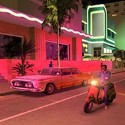
Compared with other city sandboxes, GTA 4 in Browser sits on the heavier, moodier side. Sunnier settings such as GTA Vice City lean on neon and bright colors, while this one leans on grey concrete, rain and the sense that the city is indifferent to you, and that contrast is exactly why some players prefer it on a quiet evening.
Sessions end when you decide they end, which is the real appeal of the format. A visit can last three minutes on a coffee break or an hour on a quiet evening, and nothing is lost either way.
Guides for Liberty City Players
Every guide on the site starts from the same idea: a short browser session goes better when you know the world it borrows from. The pages below cover the original city, its police, its cars and its people, and each one can be read in a few minutes before you load in.
- Beginner Guide: loading, performance, the first car and the habits that keep early chases short.
- Liberty City Map: Broker, Dukes, Bohan, Algonquin and Alderney, and when each island opens in the story.
- Wanted Levels: the search circle, what every star brings and the quickest ways to lose the police.
- Fastest Cars: the Turismo, Infernus, Banshee and the rest of the 99 mph group, with spawn spots.
- GTA 4 Cheats: every phone number for health, weapons, wanted level and vehicle spawns.
- Story and Endings: Niko's path from the Broker docks to the Deal or Revenge choice.
For the people behind the story, the characters page introduces Niko, Roman, the McReary family and Dimitri Rascalov, while friends and activities explains which friend unlocks taxis, weapons or a helicopter ride.
The guides describe the original release, so a few systems, such as phone cheats and friend abilities, will not appear in a browser session. Their value here is context: knowing why a district looks the way it does, or why police behave as they do, makes the browser city easier to read.
More Games Like This on the Site
Once Liberty City has had its turn, the rest of the site is sorted into five shelves built around the same appeal of cars, chases and city chaos. Each shelf mixes well-known classics with lighter picks for a short break.
- Open World Games: city sandboxes from the top-down Grand Theft Auto to GTA San Andreas and GTA 5.
- Crime Games: heists, getaways and stealth jobs such as Crime Simulator and Payback 2.
- Driving Games: traffic runs, stunts and police pursuits like Reckless Getaway 2.
- Shooting Games: tactical and arcade gunfights, from Counter-Strike 2 to Bullet Force.
- Simulation Games: buses, trucks and cargo planes for calmer sessions behind the wheel.

Players who came for the sirens usually head to the crime and driving shelves first, while those who enjoyed simply roaming the streets tend to pick an open-world classic next. The full hand-picked list, with a line on what each title shares with Liberty City, is on the games like GTA 4 page.
Every game on these shelves runs in the same kind of browser tab, so moving from one to the next takes seconds rather than an install. New titles join the shelves regularly, so the list keeps growing.
Common Questions About GTA 4 in Browser
Is this the full original story with Niko Bellic?
No. The browser version focuses on driving, exploring and police chases in a Liberty City-style setting. The complete campaign, including Roman, the McReary family, Dimitri Rascalov and the Deal or Revenge ending, belongs to the original release on consoles and PC, as our comparison page explains.
Can you play it on a phone?
It may open on some phones, but dense city scenes and the need to steer and aim at once make a desktop with a keyboard and mouse far more reliable. Chrome or Edge with hardware acceleration switched on gives the smoothest frame rate.
How do you lose the police fast?
Break line of sight. Turn into alleys or under bridges, switch to a fresh car while no officer can see you and stop causing damage until the stars fade; in the original, leaving the flashing search circle or driving into a Pay 'n' Spray does the same job.
GTA 4 in Browser works best when you treat it the way Niko treated Liberty City: learn the streets, keep a fast but controllable car like the Turismo close and know which alley breaks the helicopter's line of sight before the sirens start. Give the first few minutes to orientation, and every chase after that becomes a route you planned rather than a panic you survived.